Нативний AI-редактор зображень для Mac
Один робочий простір для всіх ваших задач із зображеннями.
babbleBrush — нативний редактор зображень для Mac, де кожен промпт стає версією, від якої можна відгалужуватися й до якої можна повертатися. Використовуйте власний ключ Gemini, xAI або OpenAI, платіть один раз і тримайте все на Mac.
Одноразово $99 · власний AI-ключ · macOS 15+
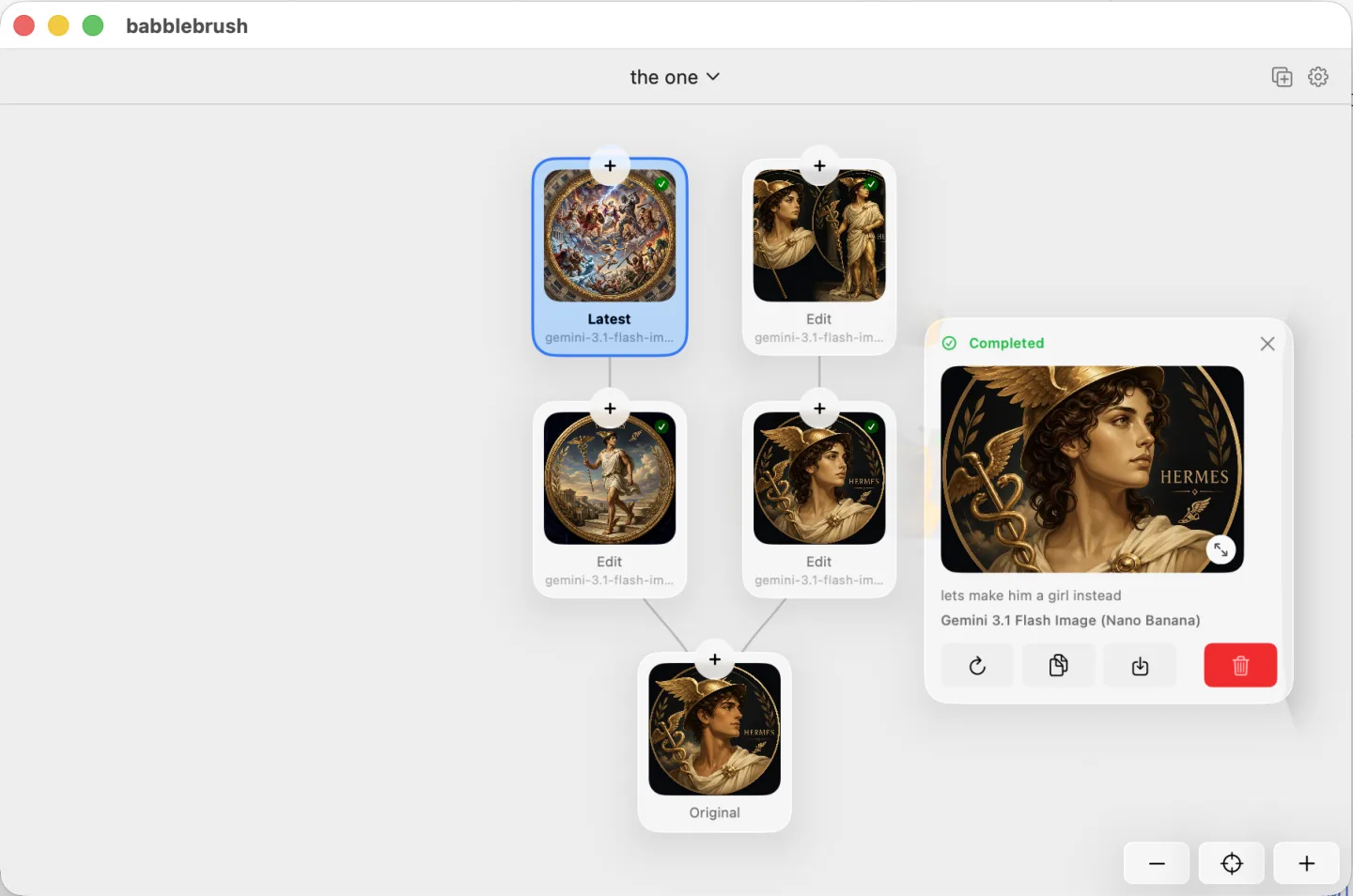
Подивіться в дії
Що може babbleBrush?
Зростаюча стіна всього, що вміє babbleBrush.
Yours, on your Mac.
Edit by prompting
Say what you want changed and babbleBrush makes the edit. No layers or tool palettes to learn.
Every edit is a version
Branch experiments from any point, compare them, and jump back to any earlier state. Nothing is ever overwritten.
Local and private
Your images and full edit history stay on your Mac. Nothing is uploaded to our servers.
Your keys, pay once
Bring your own Gemini, xAI or OpenAI key and pay the provider directly — no markup, no subscription. The app is a one-time purchase.
Одна ціна. Назавжди ваше.
Заплатіть один раз, користуйтеся babbleBrush назавжди й отримайте цілий рік оновлень.
- Perpetual Mac app license
- Free updates forever
- Use on one Mac at a time, transferable anytime
- Bring your own AI keys and pay only for what you use
FAQ
Поширені запитання
Which AI models can I use?
babbleBrush works with Google Gemini, xAI, and OpenAI image models. Add your own API key and pay the provider directly. We do not add a markup.
Do I need my own API key?
Yes. Add a Gemini, xAI, or OpenAI key in Settings. Requests go straight from your Mac to the provider, and the provider bills you for what you use.
Як працює оплата?
babbleBrush коштує 99 доларів. Це одноразова покупка, а не підписка. Застосунком можна користуватися без обмеження в часі, а оновлення протягом року включені у вартість. Обраний AI-провайдер окремо виставляє рахунок за використання.
How many Macs can I use it on?
One Mac at a time. You can release the license in Settings and move it to another Mac whenever you need to.
Where are my images and history stored?
On your Mac. babbleBrush stores your canvases, versions, and edit history locally. It does not upload them to our servers.
Чи можна підключити babbleBrush до AI-агентів?
Так. babbleBrush працює з агентами, які підтримують MCP, зокрема Claude, Codex, OpenClaw і Hermes.
What do I need to run it?
An Apple silicon Mac running macOS 15 or later.