Mac için yerel AI görsel düzenleyici
Tüm görsel işleriniz için tek çalışma alanı.
babbleBrush, her promptu dallandırabileceğiniz ve geri dönebileceğiniz bir sürüme dönüştüren yerel bir Mac görsel düzenleyicisidir. Kendi Gemini, xAI veya OpenAI anahtarınızı kullanın, bir kez ödeyin ve her şeyi Mac'inizde tutun.
Tek seferlik $99 · kendi AI anahtarınız · macOS 15+
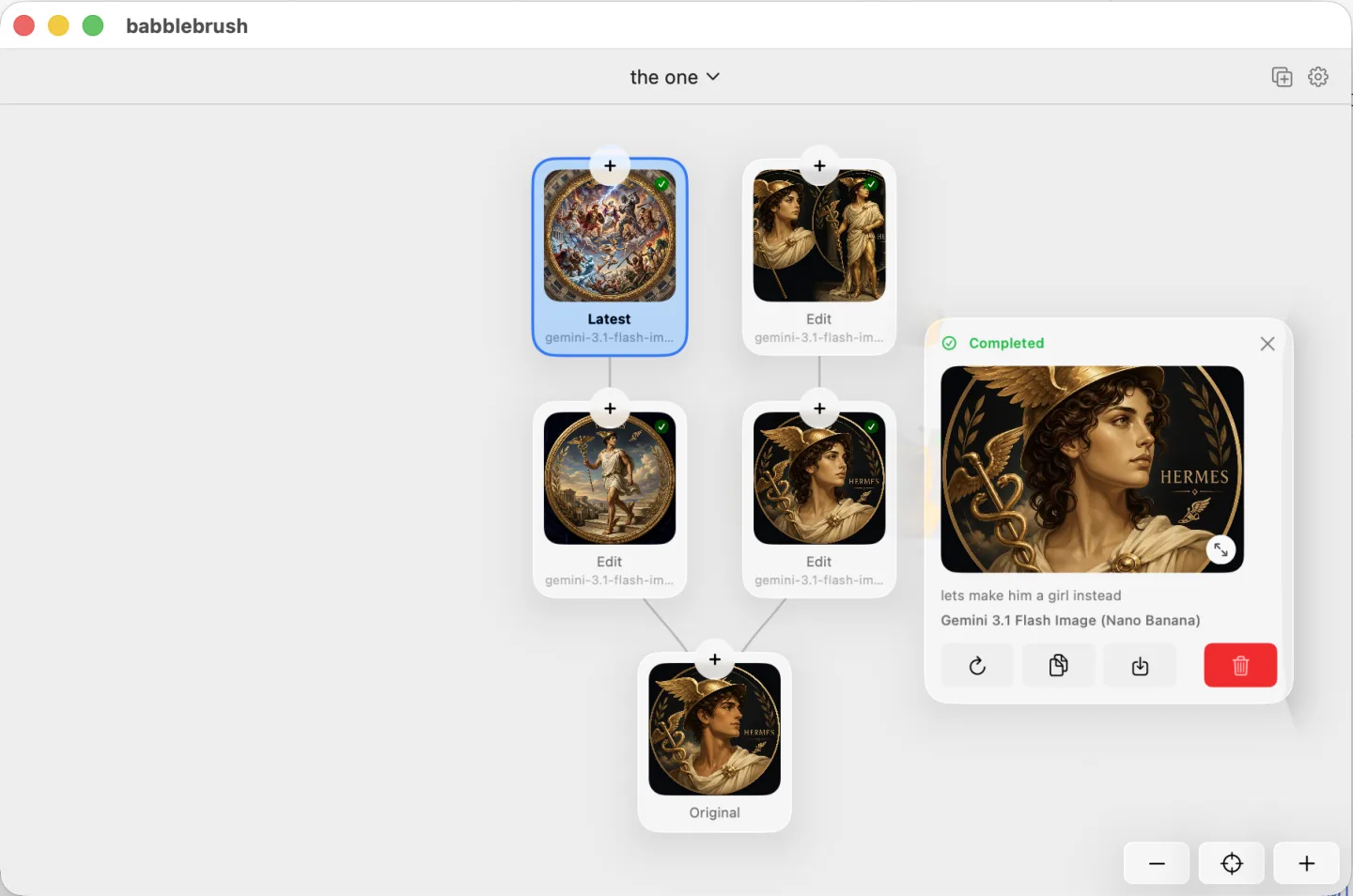
İş başında görün
babbleBrush ne yapabilir?
babbleBrush'ın yapabildiği her şeyi gösteren büyüyen bir duvar.
Yours, on your Mac.
Edit by prompting
Say what you want changed and babbleBrush makes the edit. No layers or tool palettes to learn.
Every edit is a version
Branch experiments from any point, compare them, and jump back to any earlier state. Nothing is ever overwritten.
Local and private
Your images and full edit history stay on your Mac. Nothing is uploaded to our servers.
Your keys, pay once
Bring your own Gemini, xAI or OpenAI key and pay the provider directly — no markup, no subscription. The app is a one-time purchase.
Tek fiyat. Sonsuza kadar sizin.
Bir kez ödeyin, babbleBrush'ı sonsuza kadar kullanın ve tam bir yıl güncelleme alın.
- Perpetual Mac app license
- Free updates forever
- Use on one Mac at a time, transferable anytime
- Bring your own AI keys and pay only for what you use
FAQ
Sık sorulan sorular
Which AI models can I use?
babbleBrush works with Google Gemini, xAI, and OpenAI image models. Add your own API key and pay the provider directly. We do not add a markup.
Do I need my own API key?
Yes. Add a Gemini, xAI, or OpenAI key in Settings. Requests go straight from your Mac to the provider, and the provider bills you for what you use.
Fiyatlandırma nasıl çalışıyor?
babbleBrush 99 dolardır. Abonelik değil, tek seferlik bir satın almadır. Uygulamayı istediğiniz kadar kullanabilirsiniz ve bir yıllık güncellemeler dahildir. AI kullanımı seçtiğiniz sağlayıcı tarafından ayrıca faturalandırılır.
How many Macs can I use it on?
One Mac at a time. You can release the license in Settings and move it to another Mac whenever you need to.
Where are my images and history stored?
On your Mac. babbleBrush stores your canvases, versions, and edit history locally. It does not upload them to our servers.
babbleBrush'ı AI ajanlarına bağlayabilir miyim?
Evet. babbleBrush, Claude, Codex, OpenClaw ve Hermes gibi MCP destekli ajanlarla çalışır.
What do I need to run it?
An Apple silicon Mac running macOS 15 or later.