Mac के लिए नेटिव AI इमेज एडिटर
आपके सभी image tasks के लिए एक workspace.
babbleBrush एक नेटिव Mac image editor है जहाँ हर prompt एक version बनता है जिसे आप branch कर सकते हैं और वापस जा सकते हैं। अपनी Gemini, xAI या OpenAI key लाएँ, एक बार pay करें, और सब कुछ अपने Mac पर रखें।
एक बार $99 · अपनी AI key लाएँ · macOS 15+
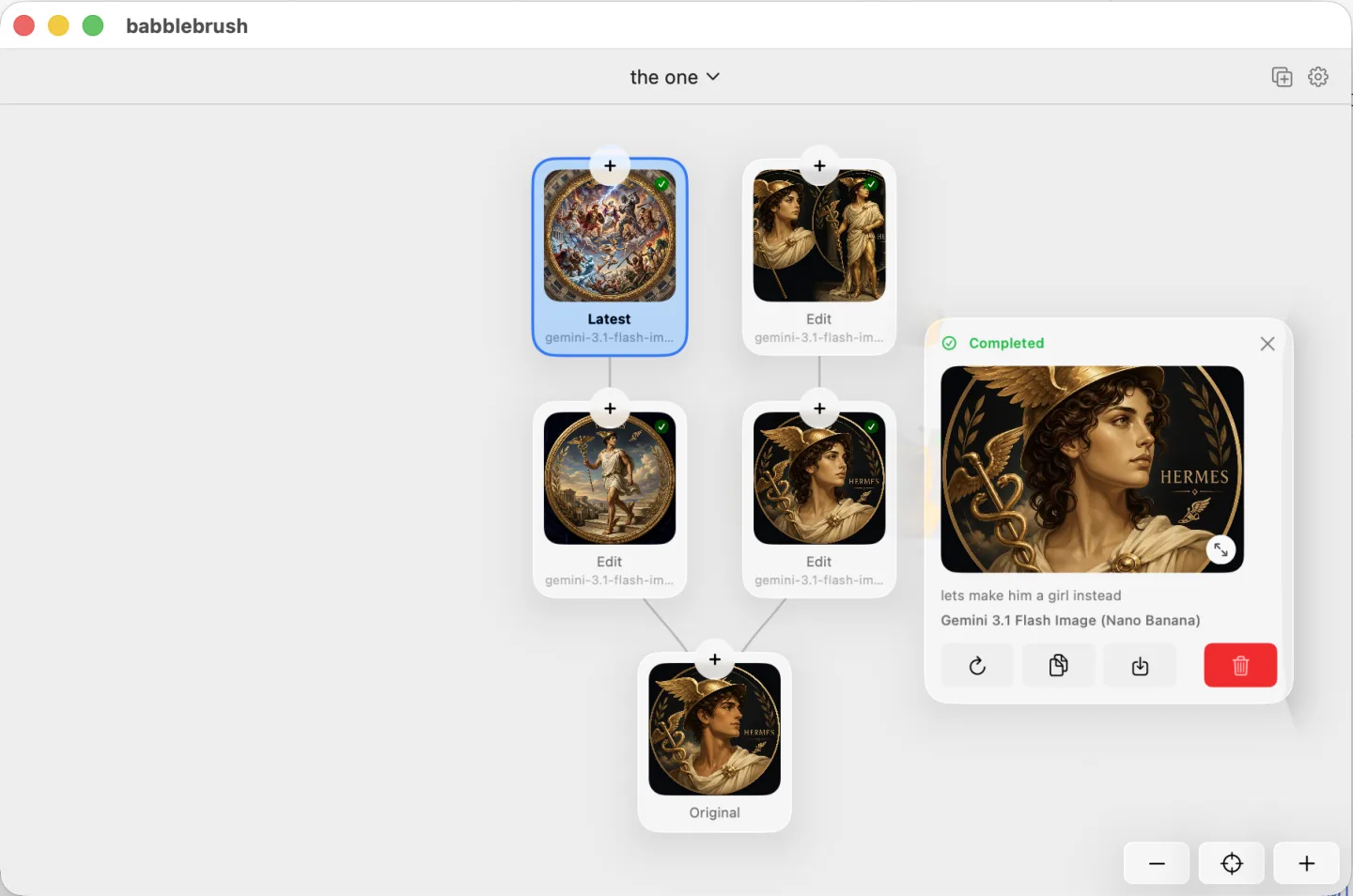
इसे काम करते देखें
babbleBrush क्या कर सकता है?
babbleBrush जो कुछ कर सकता है, उसकी बढ़ती हुई दीवार।
आपका, आपके Mac पर.
Prompts से एडिट करें
बताएँ क्या बदलना चाहते हैं और babbleBrush एडिट कर देगा। कोई layers या tool palettes सीखने की ज़रूरत नहीं।
हर edit एक version है
किसी भी बिंदु से experiments branch करें, उनकी तुलना करें, और पिछली किसी भी स्थिति पर वापस जाएँ। कुछ भी overwrite नहीं होता।
स्थानीय और निजी
आपकी इमेजें और पूरी edit history आपके Mac पर ही रहते हैं। हमारे servers पर कुछ भी upload नहीं होता।
आपकी keys, एक बार pay करें
अपनी Gemini, xAI या OpenAI key लाएँ और सीधे provider को pay करें. कोई markup नहीं, कोई subscription नहीं। App एक बार की खरीद है।
एक price. हमेशा आपका.
एक बार pay करें, babbleBrush हमेशा use करें, और हमेशा के लिए मुफ़्त updates पाएँ.
- Perpetual Mac app license
- Free updates forever
- Use on one Mac at a time, transferable anytime
- Bring your own AI keys and pay only for what you use
FAQ
आम सवाल
Which AI models can I use?
babbleBrush works with Google Gemini, xAI, and OpenAI image models. Add your own API key and pay the provider directly. We do not add a markup.
Do I need my own API key?
Yes. Add a Gemini, xAI, or OpenAI key in Settings. Requests go straight from your Mac to the provider, and the provider bills you for what you use.
कीमत कैसे काम करती है?
babbleBrush की कीमत $99 है। यह एक बार की खरीद है, subscription नहीं। आप app को जब तक चाहें इस्तेमाल कर सकते हैं और हमेशा के लिए मुफ़्त updates शामिल हैं। आपका चुना हुआ AI provider usage का bill अलग से देता है।
How many Macs can I use it on?
One Mac at a time. You can release the license in Settings and move it to another Mac whenever you need to.
Where are my images and history stored?
On your Mac. babbleBrush stores your canvases, versions, and edit history locally. It does not upload them to our servers.
क्या मैं babbleBrush को AI agents से connect कर सकता हूँ?
हाँ। babbleBrush Claude, Codex, OpenClaw और Hermes जैसे MCP support करने वाले agents के साथ काम करता है।
What do I need to run it?
An Apple silicon Mac running macOS 15 or later.