Claude と一緒に画像を編集する
Claude Code、Cowork、または MCP コネクタ対応アプリで画像を編集できます。
babbleBrush を Claude に接続すると、どの会話でも画像編集ツールが使えます。"ロゴを生成して"、"背景を透過にして"、"3つのスタイルを試して" のように伝えるだけで、あとは Claude が babbleBrush のツールで処理します。
なぜ babbleBrush なのか?
人とエージェントが同じワークスペースで作業
Claude は MCP コネクタ経由で編集し、あなたは Web アプリで編集。1つの共有キャンバス、リアルタイム更新、同じバージョン履歴、ストレージなどをまとめて使えます。
ネイティブ MCP サポート
babbleBrush は MCP をネイティブでサポート。OAuth で一度接続すれば、ツールは自動で表示されます。API キーの手動管理は不要です。
自分の API キーを利用
自分の画像プロバイダ資格情報を接続し、使った分だけ支払います。上乗せ料金なし、サブスクなし、API の実費のみ。
複数プロバイダ・複数モデル
画像編集のプロバイダやモデルを切り替え可能。1つのサービスに縛られず、用途ごとに最適なツールを選べます。
すべての編集にバージョン履歴
編集ごとにバージョンが作成されます。いつでも過去状態に戻り、任意の地点から分岐して試行できます。
接続方法は2つ
babbleBrush は Model Context Protocol(MCP)経由で Claude と連携します。あなたのワークフローに合う方法を選んでください。
方法1: MCP Connector
MCP Connectors を使うと、babbleBrush のツールを Claude.ai、Claude アプリ、Cowork に直接追加できます。接続後は、どの会話でも Claude が画像編集を実行できます。
1. Claude で Connectors を開く
Claude の設定で Connectors セクションを開き、Add Connector をクリックします。
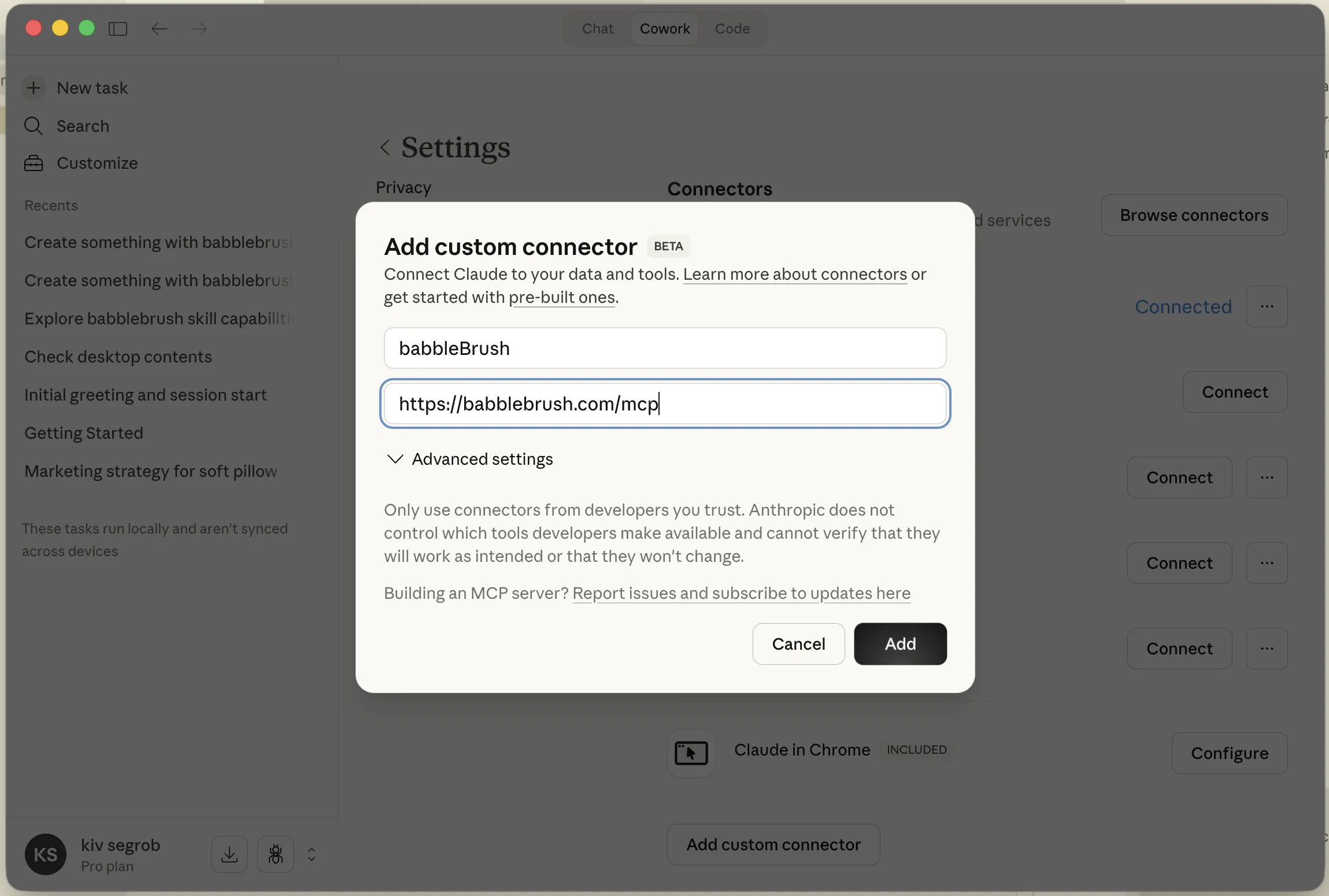
2. babbleBrush の MCP URL を入力して保存し、MCP を接続
この URL をコネクタのエンドポイントとして貼り付けます:
https://babblebrush.com/mcpConnect をクリックしてコネクタを認可します:
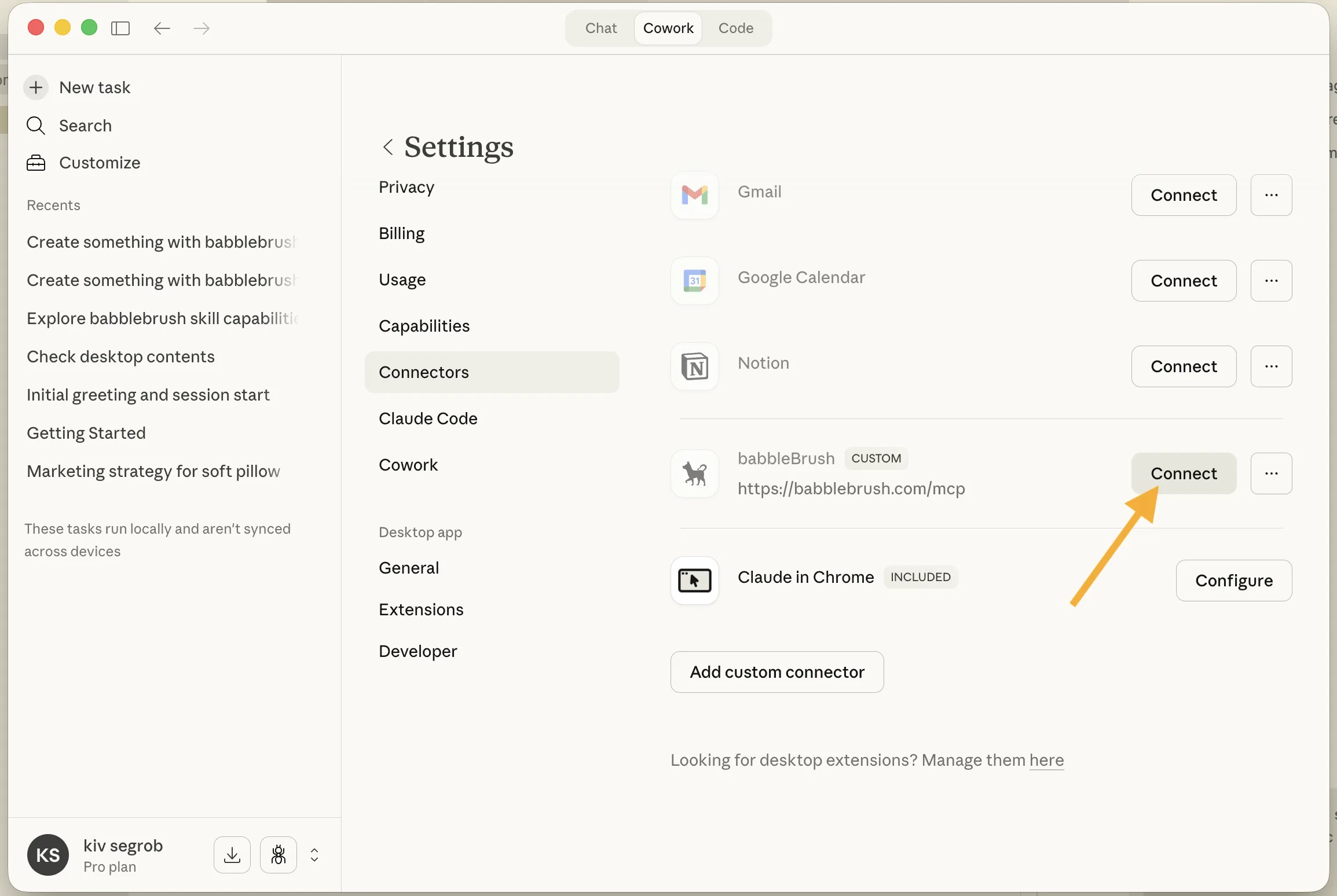
3. 認可
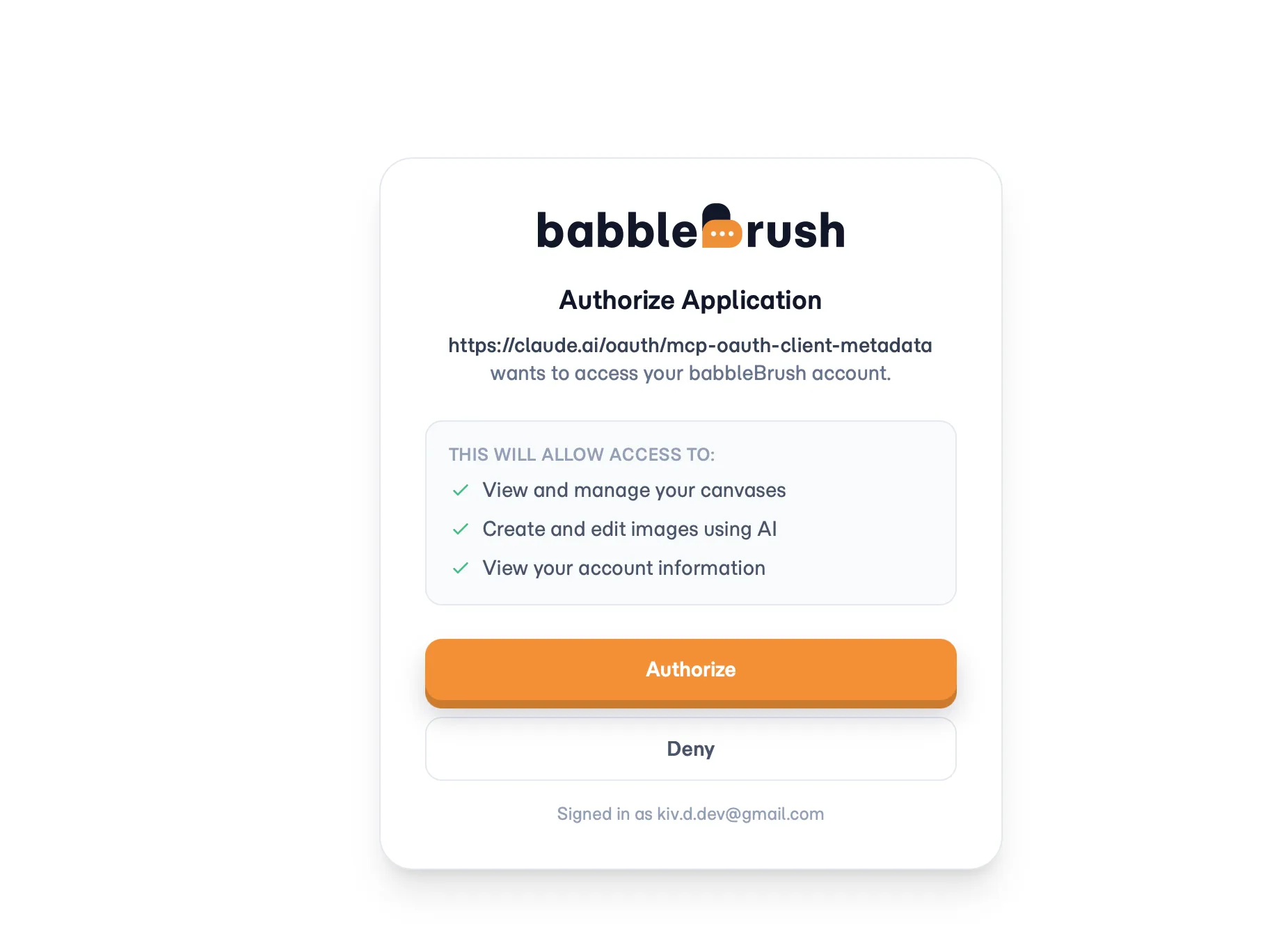
Claude が babbleBrush の認可ページを開きます。サインイン(または新規作成)して接続を承認すれば完了です。これで会話内で babbleBrush ツールが使えるようになります。
方法2: Claude Code
Claude Code(CLI)を使う場合は、babbleBrush スキルと API キーを Claude に渡せます。Claude は REST API を使ってターミナルから直接画像編集を行います。
1. Claude Code にスキルリンクを貼る
このリンクを Claude Code セッションに貼り付けてください:
https://babblebrush.com/babblebrush/claude/SKILL.md次に Claude にこう伝えます:
そのリンクから babbleBrush スキルをインストールして。 3. 編集を開始
準備は完了です。Claude にキャンバス作成、画像生成、既存画像の編集を依頼できます。すべてターミナル内で完結します。
実際の流れ
あなた:
"新しいキャンバスを作成して、夕暮れの海辺の町を水彩画で生成して。"
Claude:
キャンバスを作成し、画像を生成して結果を表示します。
あなた:
"3つのバリエーションを試して — 暖色系、より抽象的、油彩風の3つ。"
Claude:
現在のバージョンから分岐し、3つの編集を実行して結果を並べて表示します。
あなた:
"抽象版がいいね。そのバージョンを昇格して、カモメを少し追加して。"
すべての編集は記録されます。いつでも任意のバージョンに戻り、そこから分岐したり別方向を試したりできます。